Turtle Fractalization
If a robot turtle were to draw its trail for you, what instructions should it be given to generate a triangle? A tree? How about a fractal image?
The idea of using a turtle to represent simple geometrical motions goes back several decades. Think of a turtle as an object that occupies a single point in the plane (a position) and points in a direction. Then it can move forward or back, or turn left or right, using a single step-size and turning-angle throughout its trip. We will use F, B, +, and - to code these four instructions.
A useful enhancement is the ability of the turtle to store its position, go on a side trip, and then return to the stored position. This is represented in the examples by wrapping square brackets around a command or set of commands. For example, "[+F]" asks the turtle to take a side trip consisting of one left turn and one step and then to return to its original position from where the side trip began.
First, choose an instruction string and then the turning angle in degrees. The string "F+F+F+F" yields some familiar objects for various angles. For example, "F+F+F+F" with a turning angle of 90 degrees yields a square. When the turning angle is 120 degrees, the turtle will draw an equilateral triangle, drawing over one of the sides twice.
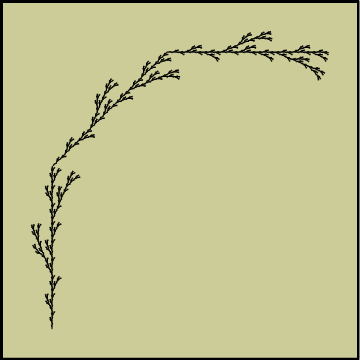
To get more intricate and interesting results, apply a more complex rule to the selected string. For example, if you start with the triangle string "F--F--F" and replace each "F" with a copy of the key string for the bent line, you will get the first fractal step "F+F--F+F--F+F--F+F--F+F--F+F" in creating a Koch snowflake.
Based on content from The Mathematical Explorer written by Stan Wagon
